2Tasks
Big chores, small steps.
Simple chores stay simple. Bigger jobs get steps, schedules and fair turns.
Step 1 of 4
Every task, in one list.
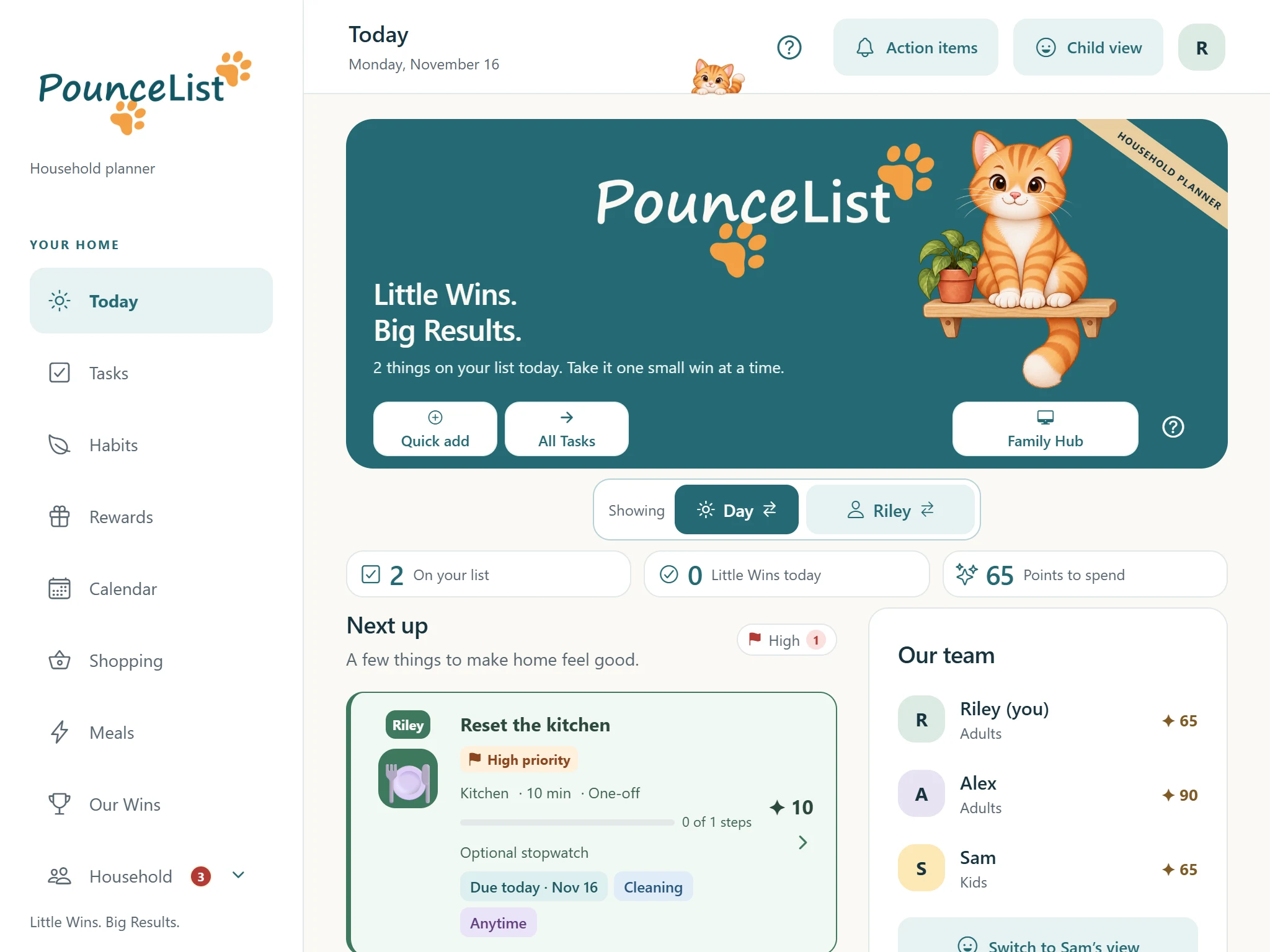
All Tasks shows the whole household's work. Colors and labels show who it's for and when it's due, and the filters narrow the list by person, room, category or type.
For exampleReset the kitchen is Riley's, due today and marked High priority.
Also here: Add a task or an event right from the list, task templates, shared tasks anyone can pick up, and a Weekly list view you can print or send.
✦ Purremium · Describe your task: say or type it, and PounceList fills in the details for you to check.
Tap High to see only the tasks that matter most.
Step 2 of 4
Break it into doable pieces.
Steps turn a big job into a short checklist. Progress is saved as you go, and the whole task earns its points once.
For exampleWash the car: rinse, soap and scrub, dry the windows.
Also here: Timers, task icons, completion photos and Not today / need help.
Step 3 of 4
Take turns, fairly.
Repeating chores can rotate between people. The next person's turn starts when the work is approved, and a skip keeps the same person's turn.
For exampleYou take out the recycling this week, Alex takes it next week.
Step 4 of 4
Check the work, then celebrate it.
Tasks can wait for a grown-up's review before the points count. Approve it, or send it back with a helpful note.
For exampleSam put the toys away. Approve, and 5 points land in Sam's total.